replaycut
Your phone is the remote control
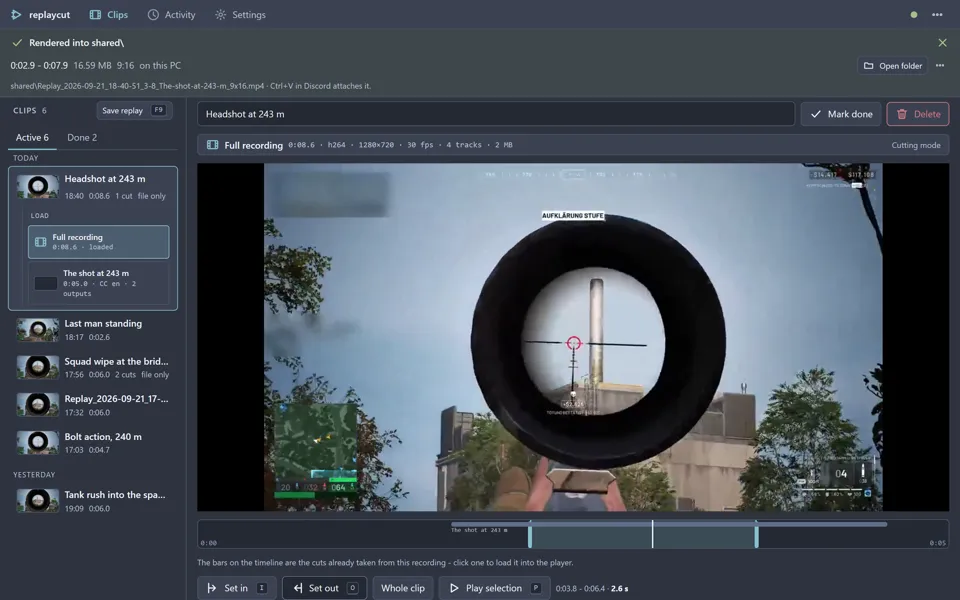
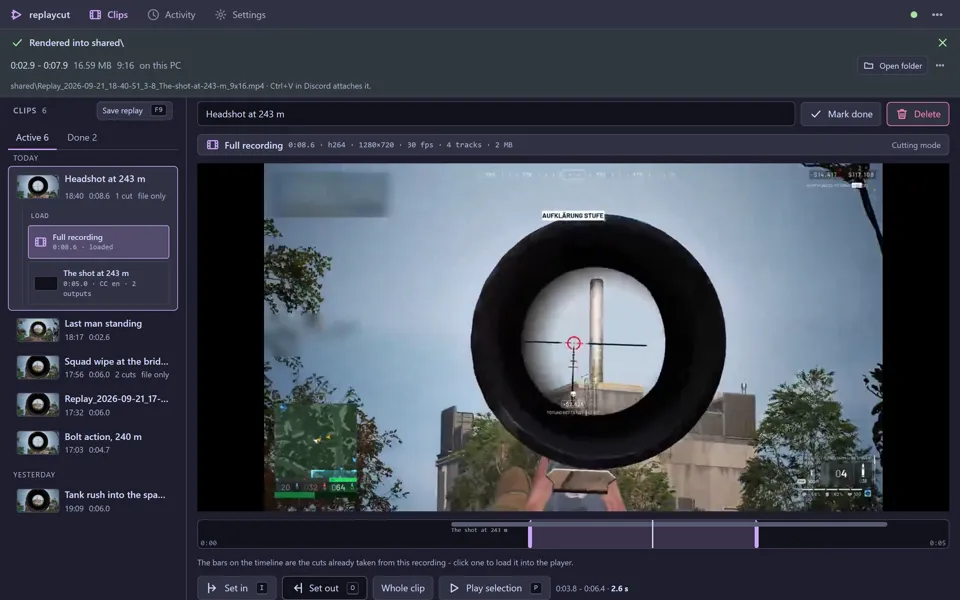
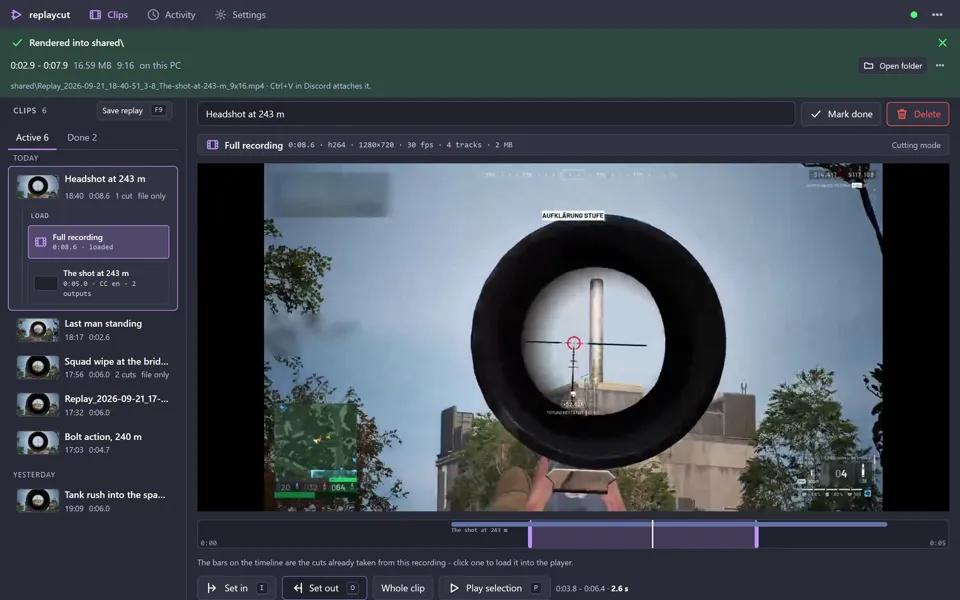
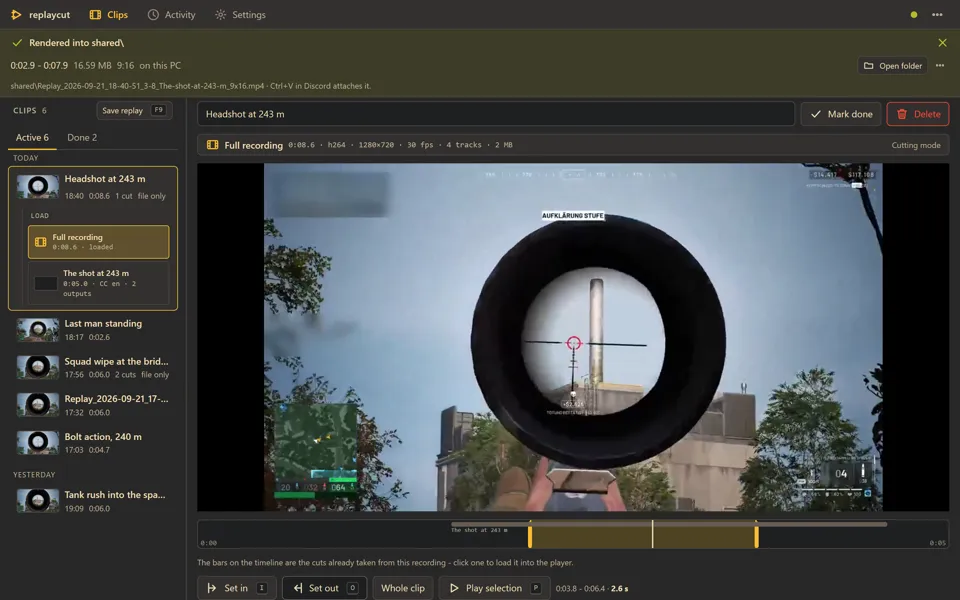
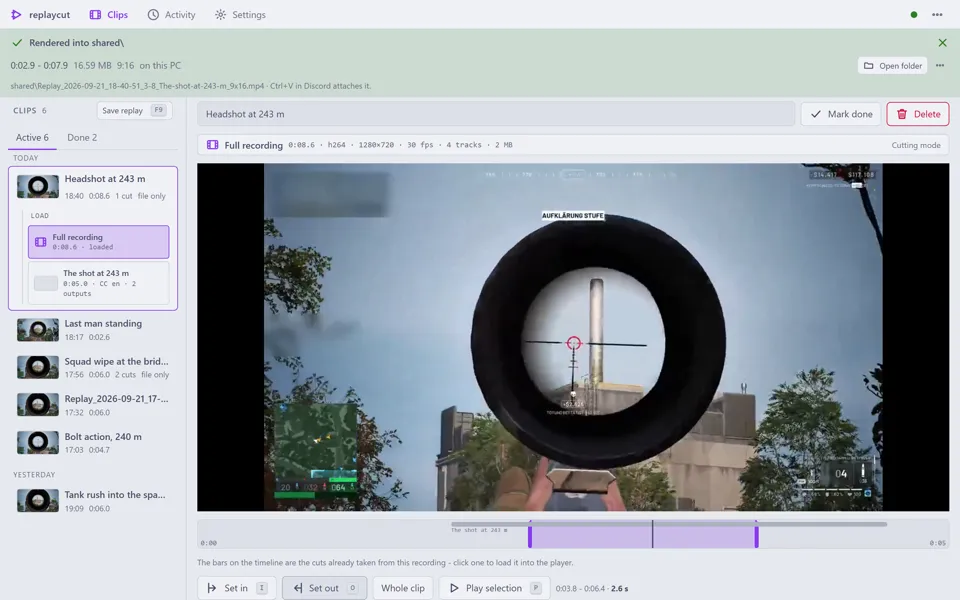
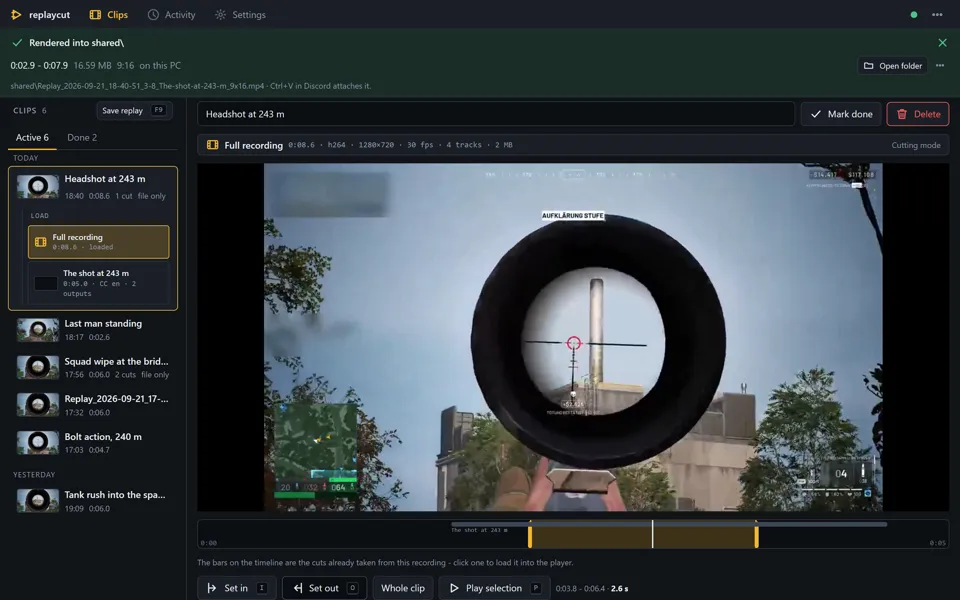
The same page renders on a 27-inch monitor and on the phone in your hand: the list, the player, the marks, the share row. The PC does the work, so the phone only has to hold your thumb.

replaycut watches the folder OBS writes its replay buffer to and turns every screen in your home into the remote control. Set the in and out points on your phone; your gaming PC cuts the range, encodes it on the GPU next to the game, uploads it and posts the link. It runs on your machine - there is no account and no server of ours.

Something happens, you press your replay hotkey and OBS writes the last minutes to disk. replaycut sees the file, puts it at the top of the list and says so with a notification. With the OBS WebSocket switched on it asks OBS directly instead of pressing the key for you.
Open the clip on whatever screen is closest. Drag the two marks over the timeline, pick the audio mix, landscape or vertical, and give it a title - or take the one the page suggests.
One button cuts the range into a file of its own, encodes it on your graphics card and uploads it to the target you picked. Progress, the queue and the result stay on the page while you play on.
The link lands in Discord, Telegram or your own webhook the moment the upload is done. Every other share stays quiet and offers “Post to …” when you want it.
The same page renders on a 27-inch monitor and on the phone in your hand: the list, the player, the marks, the share row. The PC does the work, so the phone only has to hold your thumb.
ffmpeg encodes on your GPU - AMD AMF, NVIDIA NVENC or Intel Quick Sync - at below-normal priority with a cap on the threads it may use. The game keeps the CPU, and the service idles at 28 MB of RAM while you play.
Every share keeps its range as a cut of its own: the picture untouched, every audio track along. Render it again tomorrow with another audio mix, vertical for a Short, to another target - long after the five-minute recording went into the recycle bin.
Nextcloud, OneDrive, any S3 bucket or WebDAV server, YouTube - where a vertical cut becomes a Short - or just a file in a folder. Each one is an entry in the share menu with its own size limits.
Discord, Telegram or any webhook gets the title and the link the moment the quick share is done. Everything else stays quiet until you press “Post to …”.
A new installation listens on your PC only and adds no firewall rule. Letting your phone in is one switch and one password - and after that nobody types it again: the phone asks, your PC shows the request with a four-character code, one click lets it in. Or it scans the QR code.
A clip you have shared is done and out of the way, grouped by the evening it belongs to, one click to bring it back. The Activity page knows what went where, and back to the clip it came from.
Per user, no admin rights, no service, no installer full of questions: a tray icon and a page in your browser, on Windows and on Linux. Every release is signed with minisign, and the built-in updater installs nothing that signature does not vouch for.
Material, four Catppuccin flavours, Nord, Dracula, Gruvbox, Solarized, Tokyo Night and two light ones, all built in and switched without a restart. A theme is a list of colours in a file, so your own is a copy with other values.
There is no replaycut server. The program runs on your PC, there is no account to create, nothing is measured and nothing is reported home. The one thing it asks the internet is GitHub, once a day, whether a newer release exists.
A new installation is reachable from that PC alone. Opening it to your network is a switch that asks for a password first and then for the single Windows prompt that adds the firewall rule - and the same switch closes it again.
The passwords and tokens of the storages you connect live in your PC's credential store - the Windows Credential Manager, or the keyring on Linux - never in a file. Nothing but the clips you choose to share ever leaves your machine.
Read the privacy policyreplaycut is free software under the AGPL-3.0-only licence and is developed in the open. The Rust service and its web UI are one repository, the HTTP API is a written contract with a black-box test suite pointed at it, and every release is built by CI from the sources you can read.
Windows and Linux, both in every release and both covered by the same signed checksum file. CI builds and tests on the two of them, so what works on one is expected to work on the other; where a platform names things differently - keyring instead of Credential Manager, trash instead of recycle bin - the page follows.
Windows 10 or 11, or a Linux desktop. OBS Studio with the replay buffer switched on and recording to MKV, and ffmpeg and ffprobe on your PATH. A hardware H.264 encoder is used when your graphics card has one - AMF, NVENC or Quick Sync on Windows, VAAPI or NVENC on Linux - otherwise ffmpeg encodes on the CPU and takes a little longer.
Yes, and it stays useful. Pick “file only” and a share is a finished MP4 in a folder, with “Open folder” and “Copy file” on the PC and “Download” on the phone the page is open on. Every storage and every notification is optional.
That is AV1, which an iPhone cannot decode in the browser. The player offers “Make a playable preview” - a 720p H.264 copy made on your PC in a few seconds - and recording in H.264 avoids it altogether.
Yes. Since 3.2.0 every release carries a Linux package next to the Windows one: one static executable, install.sh, a desktop entry, and a systemd user unit if you want replaycut to start with your session. Secrets go to your keyring, notifications to your desktop, the tray icon is a StatusNotifierItem, hardware encoding runs over VAAPI, and the one-click update works the same way. One thing is missing: under Wayland nobody may press your replay hotkey for you - switch on OBS's WebSocket and replaycut asks OBS directly instead.
SmartScreen does that with any executable it has not seen thousands of times, and replaycut’s carries no Authenticode signature, so Windows has no publisher to name: “More info”, then “Run anyway”. Every release ships a SHA256SUMS file signed with the maintainer’s minisign key, so you can check what you downloaded - and the built-in updater installs nothing else.